Back to guides

Hotel Lobby CapCut Template: Where to Find It + an Easier Way

Where to find the Hotel Lobby CapCut template, how to use it step by step, what it can’t do, and how to make a two-person Hotel Lobby video from photos.

Sep 30, 2026

Updated Oct 5, 2026

The short answer

Choose an editing or generation workflow around your own photos and original music. Our two-photo studio creates a new performance with an original AI-generated song and beat.

What's new on this page

  • — New section: doing the Hotel Lobby with a pet, which face-swap templates usually can’t.
  • — Added real screenshots of the video maker and a picture for each step.
  • — Page published

Hotel Lobby CapCut Template: Find a visual template

Search CapCut's template library for an orange studio or two-person performance layout. Availability and supported photo slots vary by template. Preview the result and check which elements you can change.

Keep the performance yours

  1. Choose a layout using footage you own or have permission to edit.
  2. Add photos of yourself and a consenting friend.
  3. Use your own original music, and review the audio before exporting.
  4. Export a vertical video for short-form sharing.

A template is an editing layout; its availability does not establish permission to reuse an artist's recording or performance.

A two-photo alternative

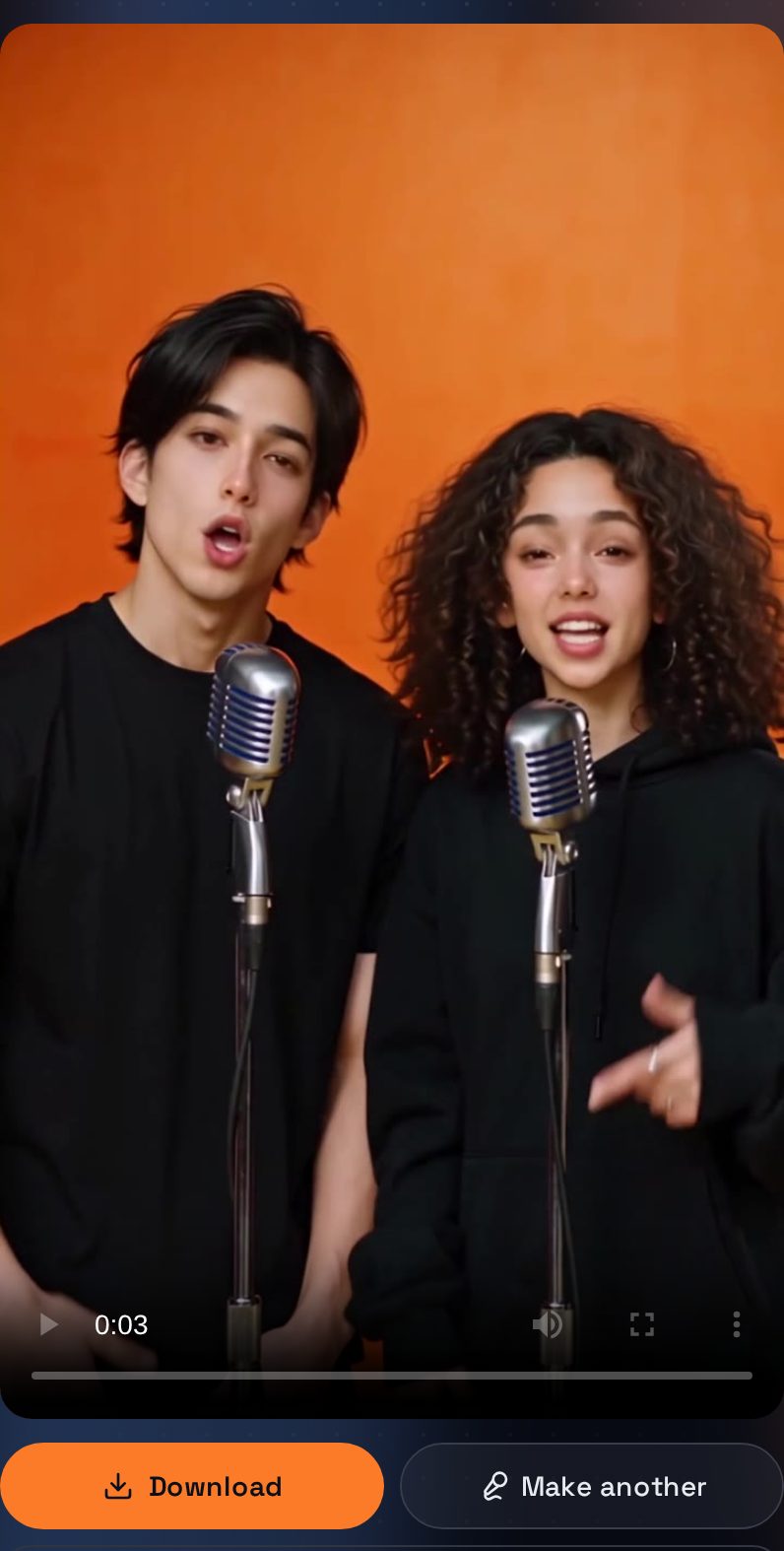
AI Rap Video Generator creates a new orange-studio scene around the people in your photos, with an original AI-generated song, beat and vocals. Add a birthday, friendship or business topic to personalize the lyrics.

Make a Hotel Lobby style video, explore the pet rap option, or read the full guide.

CapCut is a trademark of its owner.
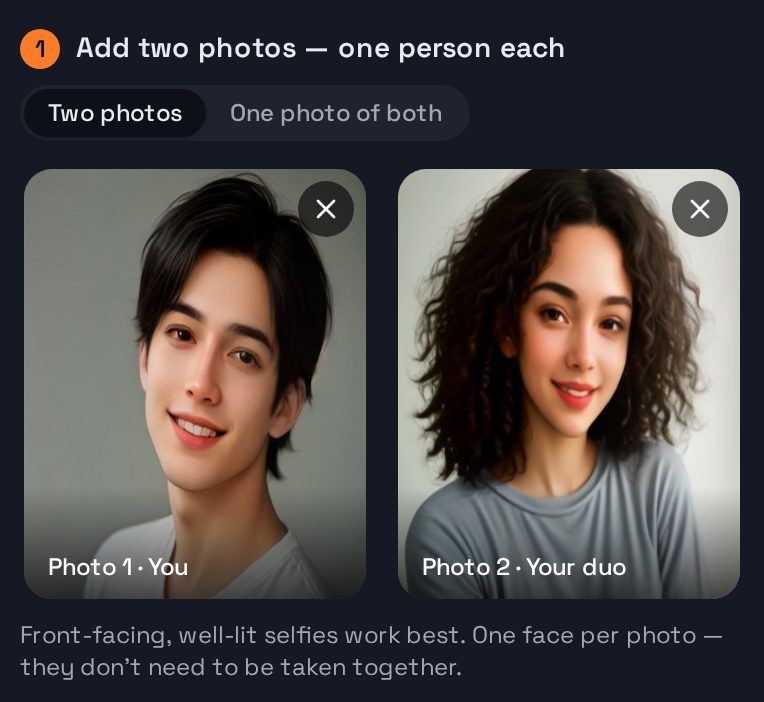
Step 1 in the studio: a front-facing selfie in each of the two photo slots
Step 1: one photo of each person. Ordinary selfies work, and they don’t need to be taken together.
The finished video in the studio: the two people from the photos rapping on their own mics in an orange booth, with Download and Make another buttons
The result, about 3 minutes later: both people from the photos, each on a mic, ready to download.

Hotel Lobby CapCut Template: prepare your photos and budget

Before selecting a layout, decide whether you want to edit existing footage or generate a new scene from photographs. Write down the inputs you already have: two portraits, a group photograph, or a video you recorded yourself. This prevents spending time on a workflow that expects material you cannot supply. For a broader comparison, read the Hotel Lobby AI apps guide and compare the inputs with your own project.

Check each face at the size it will appear on a phone screen. A distant face in a crowded photograph gives you less detail to work with than a clear portrait. Avoid covering the eyes or mouth, and choose lighting that makes the face easy to recognize. Use a recent photo if you want the performance to resemble how the person looks today. Everyone shown should have agreed to appear in the finished clip.

If you choose our photo-based studio, budget for the settings you select rather than assuming every clip has a fixed price. A 720p video costs 5, 7, 9, 10 or 13 credits for 5, 8, 10, 12 or 15 seconds. The same lengths at 480p cost 2, 4, 4, 5 or 6 credits. The pricing page lists one-time packs starting at $6.99 for 14 credits.

Choose a short topic that belongs to your duo: a birthday greeting, an everyday habit, or a shared memory. Keep the joke friendly and leave out personal details that should stay private. Review the faces, words and overall tone before sending the finished video to anyone else. A generated performance is an imagined scene; introducing it clearly helps viewers understand what they are watching.

If a generation fails or moderation rejects it, its credits are automatically returned to the account. A successful generation uses the credits associated with its selected settings. Keep those two outcomes separate when planning a budget for several clips. You can then choose whether a short first version is enough for your idea before making a longer variation with a different topic or a different pair of photographs.